Facebook has just finished sharing its new messaging system with the world. Check out the pics we’ve put together below for a walk-through or sneak peak:
1.Facebook Messages Splash Screen
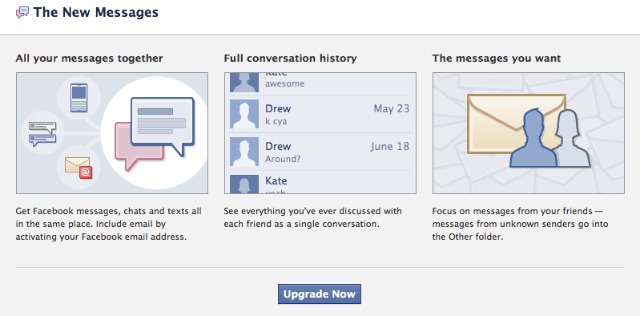
The first thing you’ll see is that there’s a new version of Facebook Messages. Clicking on the pop-up takes you to this splash page, which explains the benefits and gives you a giant “Upgrade” button to press.
2. @facebook E-mail
If you press the upgrade button, you’re immediately taken to the new Messages inbox. You will receive this notification, asking you whether you’d like to activate your @facebook.com e-mail address.
3. The Facebook Inbox
This is the new Facebook inbox. It’s a lot like the old one, although it does a better job of showing you who sent the last message in a conversation. It also shows you when you’ve received an attachment and is cleaner overall.
4.Facebook Messages Invites
This is the Invites page for Facebook Messages. The new product is invite-only, so to get access you have to have a friend invite you. I only got two invites, both of which I have given out already.
5.The “Other Messages Inbox”
This is the “Other Messages” inbox, mostly meant for messages sent to you by specific events or Facebook Pages.
6.Archiving a Message
This is what happens when you try to archive a message for the first time. Facebook wants you to archive your messages so you can refer to them two, five, or 50 years from now. Deleting messages has to be done from within the message itself.
7. Receiving a Message
This is the interface for receiving a single message. I got this message from Reporter XYZ who e-mailed my @facebook.com e-mail address.
8.Texting in Facebook Messages

If you check the mobile icon box, you send a friend a text message. In this case, my friend doesn’t have SMS activated, so I can request that he turn it on. In most cases this will just send Samuel a text message.
9. Sending a Facebook Message.
This shows off the messaging and “quick reply” features of the new Messages interface. Quick Messaging simply means you only have to hit “enter” to send a message.

 About Sarv007
[...] message” drove Facebook’s development of the new Messages system .Facebook has launched facebook messaging system. CEO Mark Zuckberg announce modern messaging system called “Facebook Messaging”. Many top [...]